

- 16 Jan, 2025
- career
- interview
- By Jules
Prepare for interviews
Great news! You’ve submitted your application and received an email asking for an interview. But the work isn’t over yet; you still have a lot of preparation to do to make sure you’re ready for all those interviews. This is the stage that a lot of people start to get nervous, but there’s no reason to be. The best way to combat nervousness is to prepare, and that’s what you’re going to learn to do here!
Phone Interview
First things first: You need to showcase your best self in that introductory phone call with the recruiter or hiring manager. This conversation probably won’t go into too much depth about your design process, but you will talk a lot about yourself and your work: who you are, what kind of work or training you have, why you want the job, your projects, and your portfolio. You might also be asked to talk about your salary requirements.
Since you know that you’ll be asked to talk about yourself and why you’d make a great UX designer, these are things you’ll want to prep ahead of time. Write down your answers in full. Practice delivering them. Remember, you want to talk to the recruiter like a human, not a robot: try to relax, smile, and share your enthusiasm, so you can be clear about your professional experience and interest in the job. Although you may not work directly with the person you’re speaking to on the phone, they’re likely going to make a judgement about whether you’d be a good fit in their office. In other words, are you pleasant to be around?
Do your research
Make sure you’ve done your research on the company. When the interviewer asks why you’d be a good fit for the job, they want to hear why you’re a talented UX designer and also why you want to work at that company specifically.
There are plenty of other common questions that interviewers will ask at this stage. These articles provide a good place to start:
- Screening Interviews: What Are They? (The Balance)
- 22 Phone Interview Tips to Propel You to the Next Round (The Muse)
- Screening Interviews: Everything You Need to Know (Indeed)
Prepare for the second round
Your second-round interview will be more focused on what you can offer as a designer. You’ll likely discuss yourself here, too, but you’ll also be going into more depth about your experiences as a designer. You’ll want to review the same material you prepared for your screening call, but you’ll also need to fully review your portfolio as well. Consider how you’ll talk about your work with the hiring manager, and be prepared to explain why you made particular choices and what you learned from the design process.
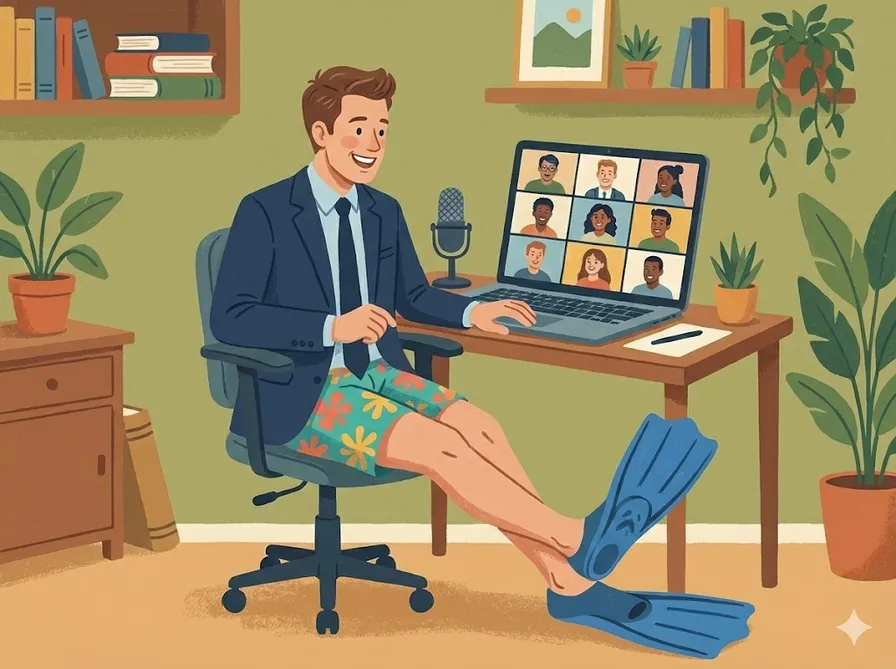
Depending on where you and your interviewer are located, the second-round interview might be over the phone or video conference. But when possible, the interview is likely to be in person at this stage. In-person interviews often last an hour or so, but if you traveled for your interview or the company likes to bring candidates in for all the remaining interview stages at once, you might complete your panel interview with a group that day as well.
Panel interview
During the panel interview, you’ll be talking to two or more people about yourself and your potential, so it can get a bit more nerve-racking. Thinking positively helps deal with any nervousness. Remind yourself: The team brought you in for the interview for a reason. They think you might be a great fit! Plus they’re impressed with your work. When you start from a place of confidence, you’re more likely to project expertise about the UX design industry and demonstrate your ability to work well with the team.
If you’re still feeling nervous, now is a good time to practice the techniques you learned for presenting your designs for user feedback earlier in the program. Remember power poses, like the Wonder Woman pose? If you need a refresher on this and other techniques to squash stage fright, review the resources from a previous course.
Whiteboard exercise
The final step of the second round of interviews is the whiteboard interview. This is where you’ll create a design in real time. You might work alone or you might work with someone on the interview team to create a product based on a prompt they provide. It’s a big deal, but this is what you’ve prepared for. All those Sharpen design prompts are built to mimic the types of design challenges you’ll be asked to solve during your whiteboard interview. So you know what to do. Follow the steps of the design process you’ve been through in this program already: empathize, define, ideate, prototype, and test. Of course, you’ll be time-restricted in an interview setting, but the interviewer will give you more guidance on what exactly they’d like to see from you during the interview. It’s perfectly fine to ask questions at this point if you’re unclear about any guidelines.
There are plenty of ways to practice for the whiteboard interview as well.
- Working Through Design Challenges in Product Design Job Interviews from UX Collective
- How to prepare for UX interview design challenges from UX Beginner
- The Best Whiteboard Interview Advice I Ever Received from Hackernoon
- Crushing the product design whiteboard challenge from UX Collective
- Product Design Exercises We Use At WeWork Interviews from Prototypr
More resources to help you prepare
There’s an endless supply of job-preparation resources available to you. Here are a few to get you started.
- Interview tips from Google. This resource from the Google Careers team provides best practices and advice on how to prepare and ace your interviews at Google, but of course these tips will work at any company!
- 11 Common UX Design Interview Questions You’ll Be Asked. CareerFoundry’s article about common interview questions for UX designers will give you some ideas about what to expect during the conversations themselves. There’s no reason to memorize answers, but thinking about how you might respond to these questions (and others you might find online) is a good practice for talking about yourself and your experience in the industry.
- Interview Prep for UX Design Roles with Adobe. This blog post on the Springboard blog outlines the ways to prepare for an interview at Adobe, but the advice holds for other companies too. A video interview with a UX designer at Adobe is featured as well.
- 5 examples of unethical design interviews & how to navigate them. Not every company acts appropriately at this stage of the process (asking for free “spec work,” for example). This article on Dribbble describes ways that interviewers might take advantage of you during the design interview.
- UX Challenge. This tool, similar to the one at Sharpen that you used during the program, provides prompts for you to work through to create novel designs and solve user problems
- DESIGNERCIZE. This is another design generator to explore. The interface looks like a computer from the 1980s, for a change of pace! As you practice creating solutions for these prompts, don’t forget to talk aloud about your design choices and methods. The hiring committee is going to want to know how you think.
Key Terms
Company Research: The process of gathering information about a potential employer to tailor responses and demonstrate genuine interest during interviews.
Phone Interview: The initial conversation with a recruiter or hiring manager where candidates discuss their background, work experience, and salary expectations.
Second-Round Interview: A more in-depth interview focusing on the candidate’s design experience and portfolio, often conducted in person or via video conference.
Whiteboard Interview: A practical interview where candidates demonstrate their design process in real-time, often solving a design challenge presented by the interviewers.
Panel Interview: An interview format where candidates present to multiple interviewers, assessing their fit and ability to work within a team.