
- 04 Mar, 2026
- productivity
- skills
- By Sergii
Touch Typing: The Invisible Productivity Multiplier
When I started my career as a developer, I didn’t think much about how I typed. I was “fast enough,” pecking away at the keyboard with eight fingers scattered across rows. It wasn’t until I invested time in proper touch typing that I realized what I’d been missing—and how much it would accelerate my professional growth.
Touch typing isn’t glamorous. It’s not talked about in tech conferences or trending on social media. But it’s one of the most impactful skills I’ve developed, and I want to share why it matters, especially in today’s AI-assisted development landscape.
What is Touch Typing?
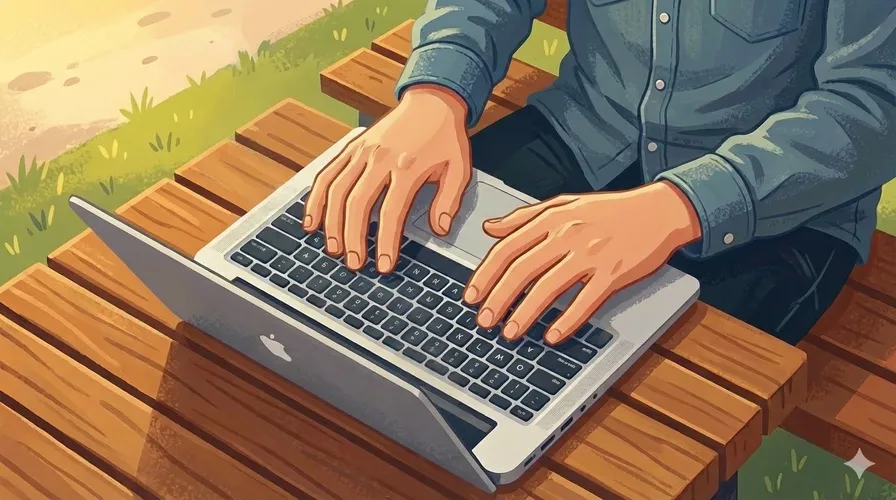
Touch typing is the ability to type without looking at the keyboard, using all ten fingers with a defined home row position. Unlike hunt-and-peck typing, which feels adequate until you need real speed, touch typing is about muscle memory—your fingers know where every key is without conscious thought.
The Three-Fold Advantage: Speed, Accuracy, and Focus
1. Speed That Multiplies Your Output
When you can type 80+ words per minute (wpm) with touch typing versus 40-50 wpm with hunt-and-peck, the difference compounds over your career. Consider that a developer spends significant time writing code, emails, documentation, and comments.
In a single year, that’s thousands of hours. Doubling your typing speed effectively gives you back weeks of productive time annually. For frontend developers who write HTML, CSS, JavaScript, and now increasingly work with AI prompts and code reviews, this isn’t a marginal gain—it’s transformative.
2. Accuracy That Reduces Friction
Hunt-and-peck typing forces you to look at your hands, then at the screen, then back at your hands. This constant context switching introduces typos. Touch typing eliminates this friction. Your eyes stay on the screen where they belong—monitoring your code, your IDE, your design system.
Fewer typos means fewer interruptions in your flow state. You’re not constantly fixing mistakes; you’re moving forward.
3.The Hidden Superpower: Content Over Mechanics
This is the real game-changer. When typing becomes automatic, your brain is completely free to focus on what matters: the logic, the design, the problem you’re solving.
As a frontend developer, I found that mastering touch typing liberated my cognitive load. I could:
- Think about component architecture while typing code
- Articulate complex ideas in documentation without pausing to find letters
- Respond to Slack questions without creating typos under pressure
- Write cleaner, more thoughtful code because I wasn’t distracted by the mechanics of typing
Your hands operate on autopilot while your mind stays in the problem domain. That’s powerful.
Touch Typing in the Age of AI
Here’s where touch typing becomes even more valuable: working with AI tools like ChatGPT, GitHub Copilot, and Claude.
The rise of AI assistants has created a new type of skill: prompt engineering. You need to articulate your problem clearly to get useful suggestions. You need to iterate quickly—tweak your prompt, get a response, refine, repeat.
I’ve noticed something interesting in the AI/developer community: while some YouTube creators and tech influencers emphasize voice-based prompting—speaking directly to AI systems—the reality for most developers is different. The majority of professionals still type their prompts and interact with code through keyboards. Voice mode is useful for certain scenarios, but it’s not the default workflow for most of us.
Why does this matter? Because touch typing is the enabler. When you can type a detailed, nuanced prompt in 30 seconds, you can experiment faster with AI. You can ask follow-up questions without friction. You can document your reasoning and edge cases more thoroughly.
The developers who leverage AI most effectively aren’t necessarily the ones using voice—they’re the ones who can articulate problems and context quickly through typed prompts. Touch typing is the technical foundation that makes that possible.
My Journey: From “Good Enough” to Game-Changing
I spent the first 2-3 years of my career as a frontend developer without proper touch typing skills. I was productive—I shipped code, built features, solved problems. But I hit a ceiling.
Everything felt slightly harder than it should be. Writing documentation was tedious. Responding in code reviews took longer. Pair programming sessions exposed gaps in my speed compared to teammates. I attributed it to experience, but it was simpler: I wasn’t using the right tool.
When I finally committed to learning touch typing properly—dedicating just 20-30 minutes daily to typing practice apps for two months—everything changed:
- Code quality improved because I spent less cognitive energy on typing mechanics
- Communication accelerated - I could articulate ideas in Slack, emails, and PRs more naturally
- AI collaboration became seamless - I could experiment with prompts and iterations without friction
- Professional confidence grew - No more feeling like I was falling behind in pair programming or live coding sessions
- Career advancement accelerated - With more mental bandwidth, I could focus on architecture, design patterns, and mentoring others
Looking back, I can point to touch typing as a foundational skill that directly enabled my progression from junior to mid-level to senior frontend developer.
The Modern Developer’s Advantage
In 2026, the developer landscape is different from when I started. We have:
- AI assistants that amplify our capabilities
- Distributed teams requiring asynchronous written communication
- Complex codebases where documentation matters
- Interview processes that often involve live coding
Touch typing is the unglamorous skill that unlocks better performance in all of these areas.
Getting Started
If you’re not a touch typist yet, here’s what I recommend:
Choose a Learning Method
- Start with Type.fit — a clean, distraction-free typing practice platform that focuses on accuracy and smooth progression
- Spend 15-30 minutes daily, 5-6 days per week
- Focus on accuracy first; speed comes naturally
Set a Target
- Aim for 40+ wpm initially
- Once comfortable, push toward 60+ wpm
- Professional typists average 70-80 wpm; developers often exceed this
Make It Habitual
- Practice during downtime (breaks, between meetings)
- Don’t switch back to hunt-and-peck under pressure—that resets your muscle memory
- Give yourself 6-8 weeks to see significant improvement
Embrace It in Your Work
- Use your daily coding as reinforcement
- Type in chat applications mindfully
- Don’t rush; let muscle memory develop naturally
Conclusion
Touch typing is a foundation skill, not a productivity hack. It’s not as exciting as learning a new framework or mastering a new tool, but it’s infinitely more valuable because it amplifies everything else you do.